

Wondering if Pinterest is safe for kids? The short answer is yes, it’s generally safer than most social media platforms, but it’s still not risk-free. While its focus on visuals reduces direct contact risks from strangers, Pinterest’s algorithm and hidden features can still expose children to inappropriate content and online scams. With an official age limit of 13, active parental supervision and proper monitoring tools remain essential for real safety.
🔒 Secure Your Child’s Pinterest Activity
Pinterest’s algorithm and Secret Boards pose hidden risks. Use FamiSpy for real-time visibility and total activity control to keep your teen safe.
VIEW DEMOWhat is Pinterest and Why Do Kids Like It?
Pinterest functions as a visual search engine and a digital scrapbook, where users find and save ideas, called “Pins,” to themed collections known as “Boards.” Unlike platforms that prioritize social connection and personal updates, Pinterest centers on inspiration and product discovery.

This curation model is highly appealing to kids on Pinterest because it offers a calming, non-competitive space for creativity and self-expression. Teens primarily use it to:
- Find Inspiration: Collecting ideas for fashion, room décor, or craft projects.
- Explore Identity: Discovering and curating visual representations of their interests, hobbies, and style.
The key distinction is that users mostly interact with content rather than other people, inherently lowering the risk of cyberbullying and unsolicited contact. However, its use of powerful keywords and intelligent recommendations means both positive and negative content is easily accessible.
What is the Official Pinterest Age Limit?
The official Pinterest age requirement is 13 years old in most countries. While Pinterest requests a birth date during sign-up, it does not typically require ID verification. This means younger children can easily bypass the restriction, making parental management crucial. We recommend waiting until your child is emotionally mature enough to handle complex content before granting access, even if they meet the 13+ age rule.
Is Pinterest Safe for Kids? 5 Pinterest Risks Parents Should Know
While Pinterest may feel calmer than other social feeds, parental caution is necessary. Here are the main Pinterest safety risks that parents must understand.

1. Algorithm Risk: The Echo Chamber Effect
Pinterest’s recommendation system learns extremely quickly. If a child interacts with content related to a sensitive or harmful topic—such as extreme dieting, self-harm, or anxiety—the system will relentlessly deliver similar content. This creates a dangerous “algorithmic echo chamber” that can reinforce unhealthy thinking or drive teens down a path of negative content consumption. It can be difficult for a teen to break out of this cycle once it starts.
2. Inappropriate Content: Filter Bypass
Despite Pinterest’s community guidelines prohibiting explicit material, some inappropriate content still bypasses the filters. Dedicated users employ specific tactics, such as intentional misspellings or coded hashtags, to share sensitive or explicit material. Worse, Pins often link directly to external websites, completely bypassing Pinterest’s own content restrictions and leading children to unmoderated, adult content.
3. Secret Boards: Hidden Activity Risk
Every user on the platform can create “Secret Boards” with a single click. These private boards are completely hidden from a parent’s view, even if the parent follows the child’s account. This is a major blind spot. A child can use these boards to secretly save harmful images, collect links to external adult sites, or compile any information they don’t want their parents to see.
4. E-commerce & Scams on Pinterest
Pinterest is increasingly used for shopping and product discovery. This exposes teens to various online shopping scams, phishing links, and unrealistic product claims. Since teens often seek fashion or lifestyle ideas, they may be easily tricked into providing payment details or clicking suspicious links leading to fraudulent sites.
5. Direct Contact & Messaging Risk
While less frequent than on apps like Snapchat, Pinterest does allow for direct messaging (DMs). Users can follow each other, comment, and engage in private chat. If an account is public, this opens up the possibility of receiving messages from strangers, including adult predators or cyberbullies. Ensuring account privacy is the first step in mitigating this risk.
How to Make Pinterest Safe to Use
Making Pinterest safe for kids isn’t about blocking the app entirely; it requires active setup and ongoing communication.
Set the Parental Passcode
Pinterest now offers a dedicated Parental Passcode feature for users under 18. Parents should immediately utilize this four-digit code to lock in the key safety settings on their teen’s account. Once the passcode is set, the teen cannot independently change critical settings related to messaging, commenting, and profile visibility, giving parents guaranteed control until the child turns 18.
Hide Profile from Search Engines
Navigate to your child’s privacy settings and activate the option to hide their profile from Google and other search engines. This significantly reduces the chances of strangers finding their account or their saved Pins through an external web search.
Manage Content & Data
Teach your child to actively manage their interests. Regularly review and remove topics they no longer engage with or those that promote negative behaviors. Additionally, turn off the “personalization” feature to limit how their data is used to serve targeted, potentially manipulative, advertisements and sponsored content.
Use Open Dialogue
No setting is foolproof. The most effective safety measure is open and continuous conversation. Ask your teen about what they are pinning and how they use secret boards. Instead of punishing them for having hidden activity, approach it with curiosity and support. Normalize the discussion of digital content to ensure they feel safe reporting troubling material to you.
FamiSpy: The Ultimate Pinterest Parental Control
While Pinterest offers some built-in safety features, the platform lacks essential time management restrictions and complete activity transparency.
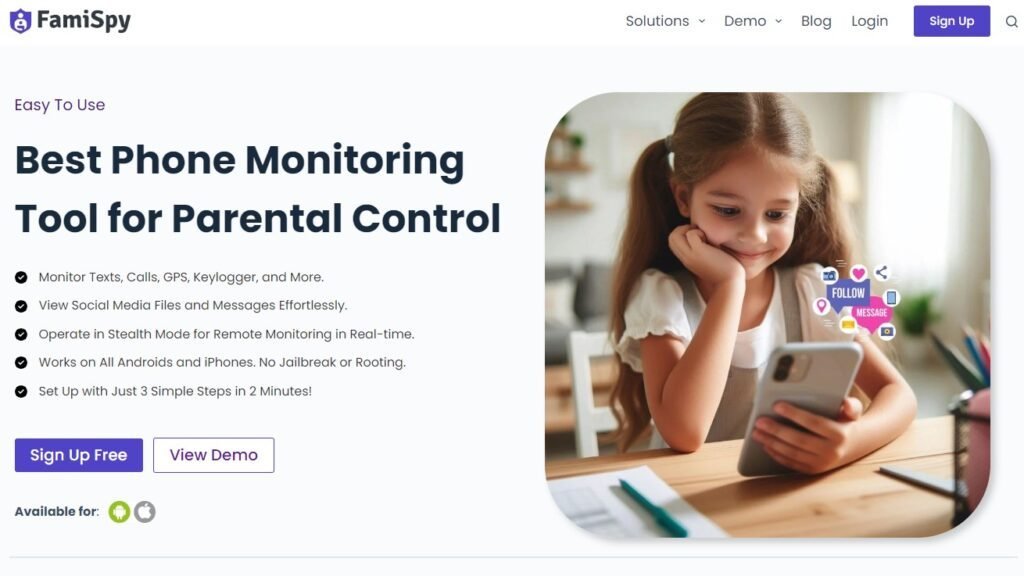
FamiSpy is a highly-rated parental control application designed to give caregivers the visibility they need across all devices. By integrating FamiSpy, you gain the ability to:
- Live Screen Monitoring: Remotely view the device screen in real-time, offering immediate insight into hidden activity or content being viewed on Secret Boards.
- Monitor App Usage: See exactly how much time your child spends on Pinterest compared to other apps, allowing you to manage overall healthy screen time habits.
- Use Keylogger for Tracking: Employ the keylogger feature to monitor the keywords your child searches on Pinterest and the content they type into messages or comments.
FamiSpy works alongside the platform’s native settings, providing the essential real-time visibility and usage management that Pinterest itself does not offer, ensuring your child’s safety goes beyond just content filters.
Pinterest Safety FAQs
Below are the most common and critical questions parents ask when determining whether to allow their kids to use Pinterest.
Is Pinterest Safe for Kids? Our Final Verdict
Pinterest is not inherently dangerous, but the potential for exposure to harmful content and hidden activity is real. By combining Pinterest’s built-in Parental Passcode and privacy options with the comprehensive oversight provided by a tool like FamiSpy, you can create a safer, moderated environment. Informed supervision, proactive setup, and consistent dialogue are the pillars of safely navigating the world of visual discovery with your child.
Don’t Miss:
- Is CapCut Safe for Kids? A Parent’s Safety Guide
- Dating Apps For Teens: Safety, Risks, and What Parents Must Know
- Snapchat Sexting: A Parent’s 2025 Guide to Risks & Safety
- Is Twitch Safe for Kids? What Every Parent Should Know
- Is Zigazoo Safe for Kids? A Complete Safety Guide for Parents
- What Does NSFW Mean? A Parent’s Guide to Online Safety for Kids