

Managing digital distraction has become crucial for both personal productivity and family well-being. A phone usage tracker app provides the essential data and tools needed to monitor and reduce screen time effectively.
Finding the right phone usage tracker that also integrates safety features is vital. Whether you’re a parent or an individual seeking mindful use, this guide reviews the top applications for both Android and iPhone in 2025 to help you choose the perfect app that fits your digital lifestyle.
Quick Answer: The Best Phone Usage Tracker for Parents
| User Need | Recommended App | Key Feature |
|---|---|---|
| Parents & Family Control (Our Top Pick) | FamiSpy | Advanced Safety Monitoring & Remote Management |
| Personal Monitoring (Android) | ActionDash | Detailed App Usage & Productivity Tracking |
| Personal Monitoring (iPhone) | OffScreen | Mindful Metrics & Digital Detox Challenges |
Our Recommendation for Parents: If your primary goal is to gain detailed insight into a child’s activity and use features that truly control phone usage, FamiSpy is the clear leader due to its comprehensive parental monitoring suite.
1. FamiSpy: The #1 Phone Usage Tracker and Parental Control App
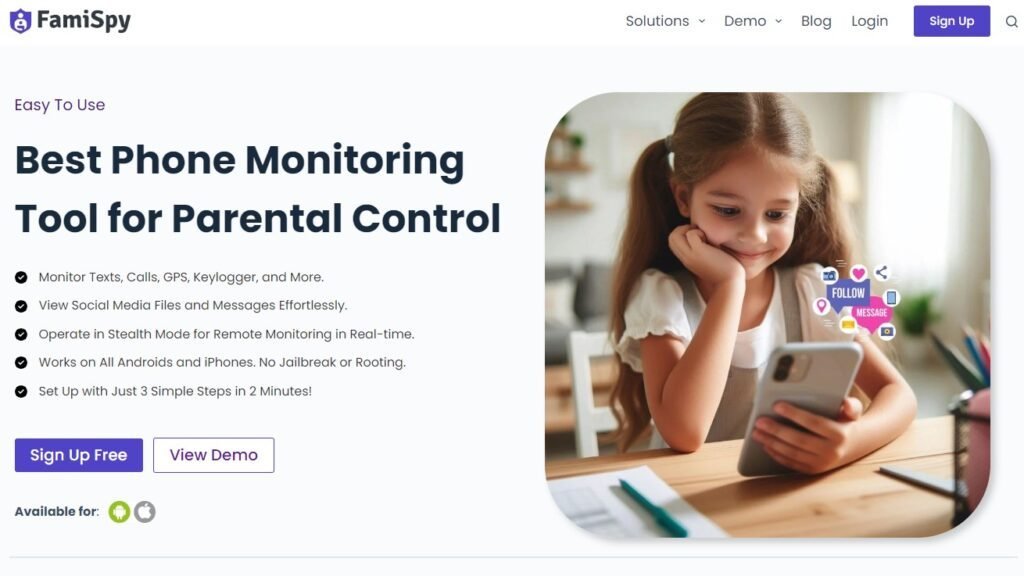
FamiSpy is the definitive choice for parents needing more than basic screen time monitoring. It goes beyond basic tracking, combining deep insights, active digital management, and essential child safety features, making it the most robust phone usage tracker available for both Android and iOS.
Core Monitoring & Parental Safety:
- Detailed graphs illustrate how and when every app is used daily (Core Phone Usage Tracker).
- Utilize Keylogger for all apps, Automatic Call Recorder, and comprehensive social media tracking (WhatsApp, Instagram, Facebook, etc.) to detect online dangers.
- Features like Live Screen, Live Surround Voice, and Take Screenshot allow for instant remote checks during emergencies.
- Tracks real-time Phone Location and monitors all text messages and phone calls.
✅ Pros
- Industry-leading parental control features (Keylogger, Live features).
- Provides App Daily Usage Report coupled with remote Live App Messaging.
- Comprehensive monitoring for all major social media and messaging apps.
❌ Cons
- Premium subscription is necessary to access all advanced safety and monitoring tools.
- Overkill for users needing only basic personal tracking.
What Users Are Saying
Users highly praise FamiSpy for its fast and professional customer support, coupled with comprehensive, user-friendly features like real-time location tracking and instantaneous chat synchronization, making phone monitoring a remarkably seamless experience.

Best Phone Usage Tracker Apps for Personal Digital Health (Android & iPhone)
2. ActionDash: Detailed Phone Usage Tracker for Android
ActionDash is a top Android-exclusive app usage tracker, enhancing Google’s native tools with deeper insights into usage habits. This app excels at providing actionable visualization to help users understand their screen time distribution.

Deep Tracking Features:
- Provides “heat maps” and detailed charts for daily usage patterns.
- Allows excluding productive apps (e.g., music) from screen time tally for accurate results.
- Tracks and analyzes the number of notifications received.
✅ Pros
- Clean interface and highly detailed usage statistics.
- Customizable exclusions provide accurate tracking.
❌ Cons
- Android only, limiting its use for mixed-OS families.
- Free version is feature-limited.
What Users Are Saying
ActionDash is highly praised for its superior data and overall user experience compared to the native Digital Wellbeing, but users actively request stronger control features, including customizable mandatory break times, true background app closing functionality, and a toggle to re-enable the previous focus mode exit timer. (Check the latest reviews on Android )

3. OffScreen: The Comprehensive App for iPhone Usage Tracking
OffScreen is a popular choice for iOS users seeking an advanced iPhone usage tracker focused on building mindful habits. It skillfully leverages iOS integration to offer unique tracking metrics that motivate users to reduce dependency.

Mindful Tracking & Habit Tools:
- Reports on “average usage while walking” and “first pickup of the day.”
- Includes focus modes and customizable challenges to reduce device dependency.
- Excellent use of Lock Screen and Widgets for quick access.
✅ Pros
- Highly sophisticated reporting for mindful habits.
- Excellent integration with iOS (Widgets, Lock Screen).
❌ Cons
- Subscription required for full access.
- Some users report data syncing issues between devices.
What Users Are Saying
OffScreen is lauded for its cute interface, thoughtful reminders, and powerful features that meet user needs, yet it faces critical issues concerning inconsistent Pro membership restoration and severely lacking customer service, especially for its Android user base. (Check the latest reviews on Android and iOS)

4. StayFocusd: Managing and Tracking Usage on Multiple Devices
StayFocusd is excellent for conquering specific app and website addictions, serving as a multi-platform usage tracker with robust blocking tools. It provides the necessary strictness to ensure users adhere to their own productivity goals.

Restriction & Focus Tools:
- Blocks specific websites, apps, and in-app content like shorts or reels.
- A locking mechanism prevents users from easily overriding their own focus settings.
- Available for web browsers, Android, and iOS.
✅ Pros
- Blocks content (shorts/reels) within apps.
- Multi-platform support (Web, Android, iOS).
❌ Cons
- Setup can be complex for non-technical users.
- The self-lock feature can be frustrating if limits are set incorrectly.
What Users Are Saying
StayFocusd is valued as a great app, despite its limited free version, but users report a critical flaw where the core restriction feature is easily bypassed (e.g., by exiting the home app), which severely undermines the paid version’s utility, while also expressing a strong desire for a Chinese language version. (Check the latest reviews on Android and iOS)

Top Apps to Control Phone Usage and Break Digital Habits
5. StayFree: A Feature-Rich App to Control Phone Usage
StayFree is widely praised for its rich free features, making it an accessible app to control phone usage on several platforms. Its utility for setting and monitoring daily goals makes it a practical choice for breaking specific phone habits.

Goal Setting & Blocking Features:
- Allows setting daily goals and receiving alerts for app overuse.
- Effective in blocking shorts, stories, and video searches on major social platforms.
- Supports Android, iOS, and various web browsers.
✅ Pros
- The interface is not as polished as some premium trackers.
- Excellent blocking of distracting in-app content.
❌ Cons
- Some reports of occasional tracking errors.
- Interface is not as polished as some premium trackers.
What Users Are Saying
StayFree is highly regarded for its effective reminders, utility in blocking phone use, and excellent cross-platform statistics (including desired chronological tracking), although users note minor issues with battery drain, persistent app permissions, and wish for deeper historical analysis beyond daily views. (Check the latest reviews on Android and iOS)

6. Flipd: Focus and Motivation from Your Phone Use Tracker
Flipd uses gamification to manage screen time, focusing on “locking you out” to promote focus, making it a straightforward phone use tracker. The app’s strength is its community-driven motivation, particularly appealing to students.

Lockdown & Motivation Features:
- Features a “Full Lock” mode that hides distracting apps.
- Users can join virtual study sessions for shared motivation and accountability.
- Designed around one core function—time management.
✅ Pros
- Great for students and group accountability.
- The motivational focus is unique and effective.
❌ Cons
- Very limited features in the free version.
- No detailed app usage reports or history.
What Users Are Saying
Flipd is highly praised for its smooth, well-designed interface and motivating community features like group study sessions and streaks, but non-premium users are frustrated by the recent restriction of essential long-duration focus sessions (over 40 minutes) and limited break options, despite the app being an otherwise effective tool for screen addiction. (Check the latest reviews on Android and iOS)

Other Reliable Phone Usage Trackers (A Quick Look)
| App Name | Primary Focus | Best For | Platform Availability |
|---|---|---|---|
| 7. App Usage | Comprehensive data reporting | Android users wanting deep, categorized data. | Android Only |
| 8. one sec | Mindfulness and habit disruption | Users addicted to one or two specific social media apps. | Multi-platform |
| 9. Usage Time | Simple, clear time reports | Users who only need a clear, no-frills phone usage monitor. | Android & iOS |
| 10. Screen Time / Digital Wellbeing | Built-in functionality | Users who prefer a basic, no-cost solution over advanced features. | Built-in (iOS/Android) |
FAQs
Conclusion
Choosing the right Phone Usage Tracker depends entirely on your specific goal. For focused personal digital wellness, a standalone app that monitors phone usage, such as ActionDash or OffScreen, provides the necessary data and focus tools.
However, for parents seeking a robust, all-in-one solution that combines comprehensive usage reports with active management and safety features, FamiSpy stands out as the superior choice. By leveraging a high-quality usage tracker, you gain the clarity needed to foster healthier digital habits for yourself and your family in 2025.
Don’t Miss:
- 5 Best Hidden Tracking Apps for iPhone and Android (2025)
- 5 Best Browsing History Tracker Apps You Should Try in 2025
- How to Track Your Girlfriend’s Phone in 2025: Legal & Safe Options
- 5 Best Family Tracking Apps for Android and iPhone (2025)
- 5 Best Hidden Screenshot Apps for Android & iPhone (2025)
- 10 Best Teen Phone Monitoring Apps for Parents