
Imagine this: You walk past your teenager while they are glued to their phone. You happen to glance at the screen and see a message that just says “143.” Is it a math problem? A locker combination? A random typo?
In the world of texting, 143 simply means “I Love You.”
It breaks down by the number of letters in each word:
- 1 = I
- 4 = Love
- 3 = You
While seeing this specific code might actually be a sweet sign, it highlights a bigger reality for modern parents. Teens speak a “secret language” online. For every innocent code like 143, there are dozens of other abbreviations designed to hide conversations about partying, bullying, or illicit behavior from adults.
This guide will help you decode the meaning of 143, identify red-flag slang, and show you how to stay in the loop without hovering over your child’s shoulder.

You Know the Code. Now, See the Conversation.
You’ve mastered “143” and the “Red Flag” codes like DTF. FamiSpy goes beyond slang, capturing deleted messages, keystrokes, and chat histories to give you the full, real-time context of your child’s digital life.
VIEW DEMOThe History and Variations of 143
Believe it or not, this slang didn’t start on TikTok or Snapchat. It actually dates back to the 1990s and the era of pagers. Even the legendary children’s TV host Mr. Rogers was famous for using 143 to express affection to his viewers.

Today, teens have evolved the code. Here are common variations you might see in your child’s text messages:
The classic code based on letter counts: I (1) – Love (4) – You (3).
An extended version emphasizing the intensity of the feeling.
Corresponds to the keys “I”, “L”, and “Y” on an old phone dial pad.
Is 143 Dangerous? Why Context is Everything
If you see “143” on your child’s phone, don’t panic. In isolation, it is a harmless term of endearment. However, as with all digital communication, context is what matters most.
You need to ask three questions:
- Who is the sender? Is it a known school friend, or an unsaved number?
- What time is it sent? A sweet text at 2 PM is different from a secret code received at 2 AM.
- What app are they using? Sending 143 via standard SMS is common. Sending it via encrypted messaging apps or hidden vaults might indicate a secret relationship your child feels they need to hide.
According to the experts at Common Sense Media, understanding the platform your child uses is often just as important as understanding the words they type.
The Slang Dictionary: Codes Parents Must Know
Teens mix innocent abbreviations with risky ones. It is important to know the difference so you don’t overreact to a harmless text, but also don’t miss a warning sign.
Innocent and Functional Slang
Most slang is just about speed. For example, if your child is gaming or stepping away from their phone, they might use terms like BRB (Be Right Back) or AFK (Away From Keyboard). These are functional and usually nothing to worry about.
On social media platforms, you might see NGL (Not Gonna Lie) used before a confession or an opinion. Another common term on Snapchat is SB, which simply means “Snap Back”—a request for the other person to reply with a photo to keep their “streak” alive.
The “Red Flag” Slang (The Real Danger)
While the terms above are safe, other codes are designed specifically to hide risky behavior or alert friends that a parent is watching.
If you spot terms like DTF or CD9, it requires immediate attention and a calm conversation.
Why Checking Phones Manually Doesn’t Work
Many parents try to solve this by physically taking the phone and reading through messages. While well-intentioned, this method is becoming less effective.
Teens are tech-savvy. They know how to:
- Delete individual messages or entire threads immediately after reading.
- Use “Ghost Apps” that look like calculators or audio managers but actually hide secret photo vaults and chat logs.
- Use disappearing messages on apps like Snapchat or Telegram.
If your child deletes a text containing “143” or “CD9” before you check the phone, you will never know the conversation happened. This is where modern monitoring tools fill the gap.
How FamiSpy Helps You Decode the Truth
When manual checks fail, FamiSpy acts as your digital safety net. It allows you to monitor your child’s device remotely and discreetly, ensuring you aren’t left guessing about secret codes or hidden relationships. FamiSpy records activity in the background, so even if a message is deleted from the phone, it is still visible on your dashboard.
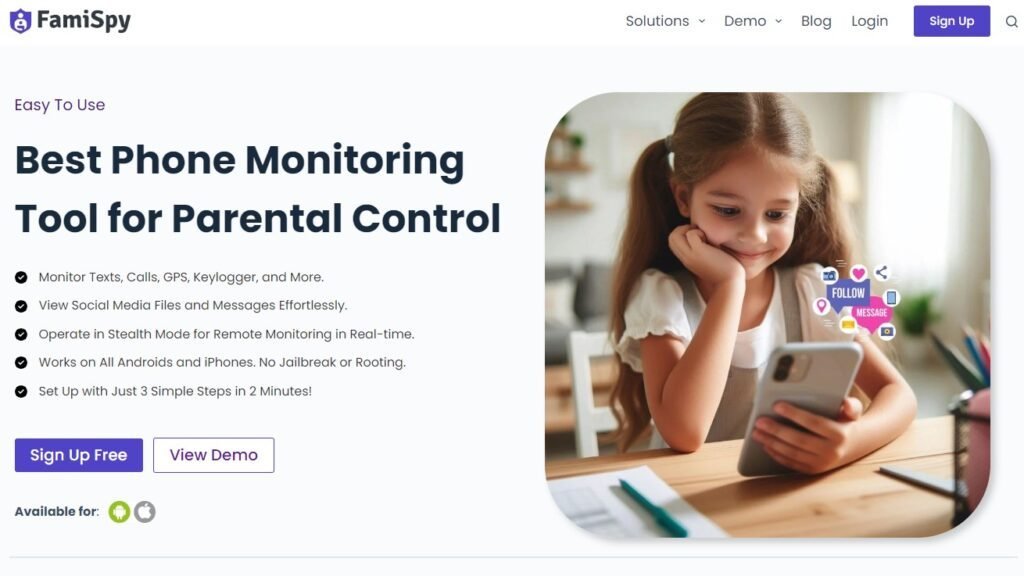
Here are the 5 core features that help parents handle text slang:
- Android Keylogger: This is the most powerful tool for catching slang. FamiSpy records every single keystroke your child types. Even if they type “143” into a hidden app or a search bar and then delete it, the Keylogger captures the text.
- Screen Recorder: FamiSpy periodically takes screenshots of your child’s active screen. This lets you see exactly what they are seeing, providing visual context to the text messages.
- Social App Monitoring: Slang is most heavily used on social platforms. FamiSpy monitors chats on WhatsApp, Snapchat, Instagram, Facebook, and more, giving you a comprehensive view of their social life.
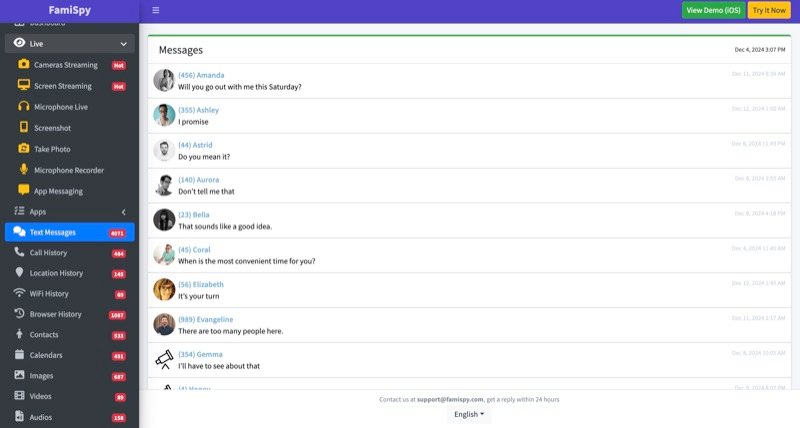
- Read Text Messages: You can view a complete history of all sent and received SMS, including the contact details of the sender, even if the contact name is fake.
- Browser History: Often, teens will search for the meaning of slang terms before using them. Checking their history can give you a heads-up on what codes they are learning.
Step-by-Step Guide to Using FamiSpy
Getting started is simple and doesn’t require advanced technical skills.
Step 1. Create an Account: Go to the FamiSpy website and sign up with your email.
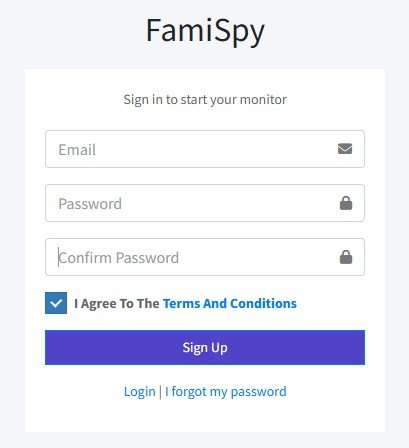
Step 2. Install the App: Follow the instructions to install FamiSpy on your child’s target Android device. (Physical access is needed just once for installation).
Step 3. Start Monitoring: Log in to your Control Panel from your own phone or computer. The data will start syncing immediately, allowing you to view keystrokes, texts, and app activity.
Parenting Tips: Talking About the “Secret Language”
Using a monitoring tool like FamiSpy gives you the information, but how you use it builds the relationship.
- Don’t interrogate immediately. If you see a code like 143, don’t rush in asking “Who do you love?” Wait and observe the context.
- Ask them to teach you. A great way to start a conversation is to act curious. Ask your teen, “I saw this word ‘NGL’ online, what does that mean?” This lowers their defenses.
- Explain the ‘Digital Tattoo’. Remind them that even with code words, nothing sent online is truly private or temporary.
FAQs
Conclusion
Knowing the 143 meaning is just the tip of the iceberg. It represents a desire for connection, but also a desire for privacy. While privacy is healthy for teenagers, secrecy can be dangerous.
By understanding the slang—from innocent terms like AFK to risky ones like DTF—and using reliable tools like FamiSpy to back up your intuition, you can protect your children from the risks they don’t see coming. Don’t let the secret language keep you in the dark.